Building My Portfolio: Decisions, Stack and What I Learned
How I rebuilt my portfolio from scratch and kept building it: Next.js App Router, TypeScript, Tailwind CSS, Upstash Redis, Vercel, Python daemons for live device status, a custom PS5 OAuth v2 Cloudflare Worker, 5-tier GPC game detection with IGDB cover art, Discord presence via Lanyard and Spotify now-playing - and what shipping something personal actually teaches you.
1 September 202511 min read
Next.js
React
TypeScript
Tailwind CSS
Redis
Vercel
Python
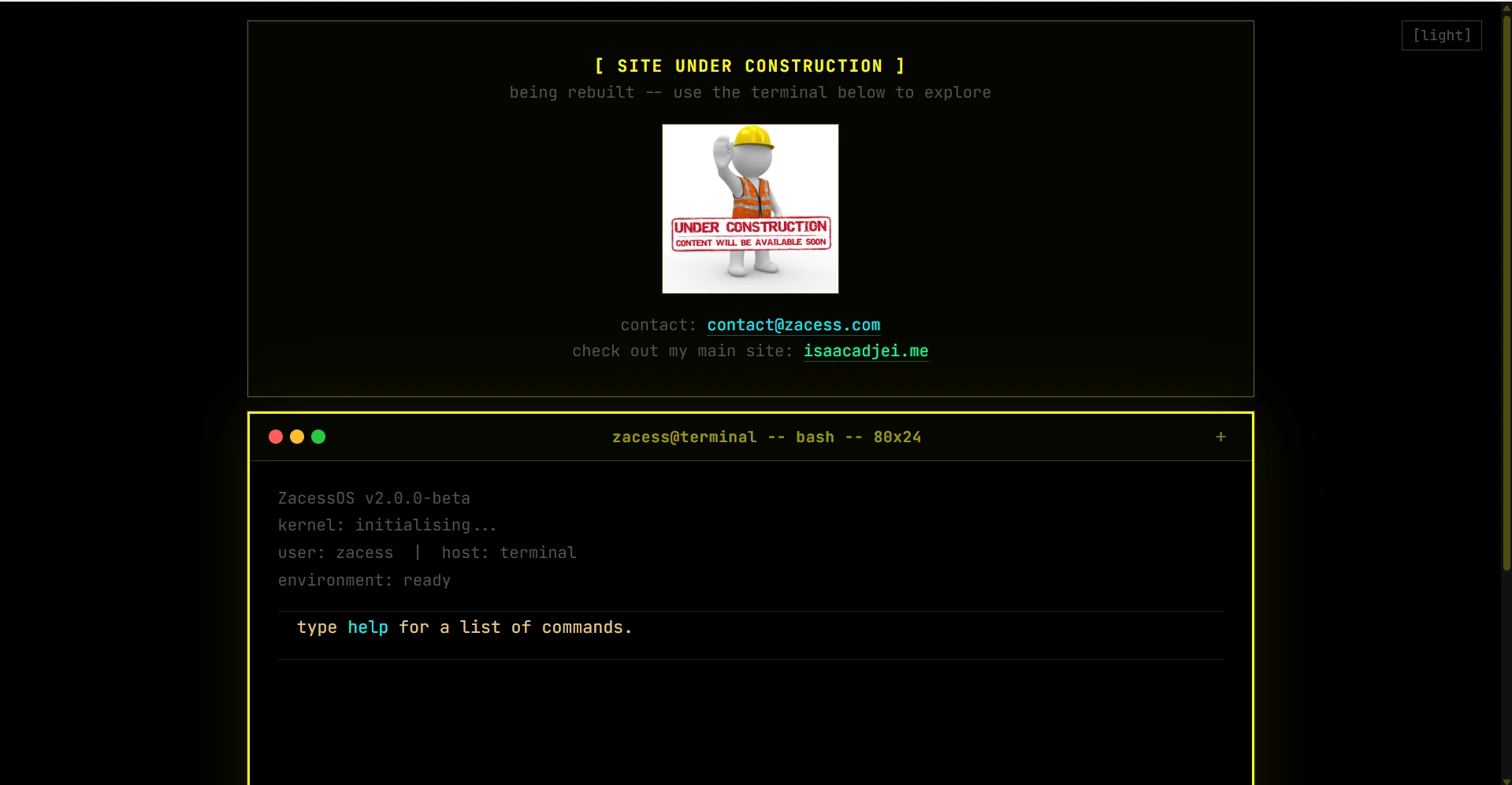
For a while my portfolio was a terminal-style single-page HTML file at zacess.com. It worked, it was fun and I was genuinely proud of it at the time. Looking back, it was mostly vibe-coded: I built it by piecing together things I had found online without deeply understanding what I was doing. It loaded fast, looked interesting and told you almost nothing about my actual work. No project pages. No blog. No way to see anything beyond a blinking cursor and a few hardcoded text responses. The current version lives at isaacadjei.me.
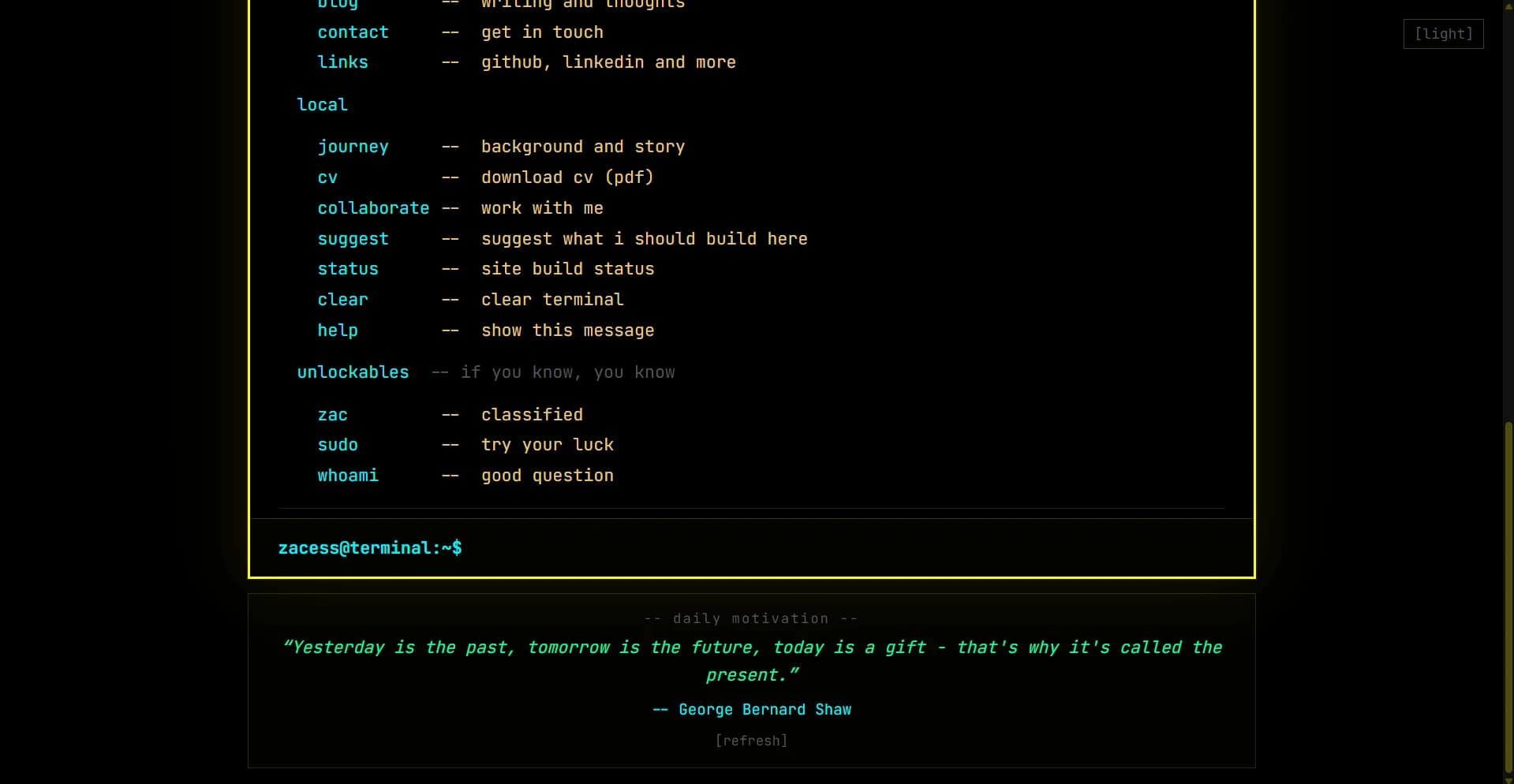
The original zacess.com - a terminal interface that looked great and showed almost nothing
I kept it live for longer than I should have. Then I rebuilt from scratch. This post covers the full tech stack, the decisions behind it and what building something real - rather than something impressive - actually required.
The full tech stack
Before getting into the why, here is what the site is built with:
Next.js 15 (App Router): the framework. Server components, file-based routing, layout nesting and built-in image optimisation
TypeScript: typed throughout. Every component, data file and API route is fully typed
Tailwind CSS v4: utility-first CSS framework. Every style is a class, nothing is global except the base reset
Node.js: the runtime Next.js runs on, also used for the build step and API routes
shadcn/ui: unstyled, accessible base components (buttons, separators, cards) that I style with Tailwind rather than fighting someone else's design system
Geist Sans and Geist Mono: Vercel's typefaces, used for body text and monospace labels respectively
Lucide React: icon library, lightweight and consistent
Vercel: deployment platform with automatic deploys on every push to main
Cloudflare: DNS provider routing isaacadjei.me
GitHub Actions: CI pipeline running lint and build checks on every pull request
Resend: API for the contact form email delivery
Beehiiv: newsletter subscription management
Cloudflare Turnstile: CAPTCHA on the contact form, privacy-respecting alternative to reCAPTCHA
Upstash Redis: serverless rate limiting on the contact form API route
Google Analytics 4: traffic analytics via Next.js Script with afterInteractive strategy
Why Next.js and not something simpler?
A portfolio could be a static HTML file. Many are and they work fine. But I wanted something I could grow: add project detail pages, a full blog, a newsletter, a contact form with proper validation and rate limiting. A static file stops scaling the moment you need server-side logic or multiple pages.
Next.js with the App Router gave me everything I needed in one place: file-based routing where adding a new page is just adding a new folder, server components that run on the server and send HTML to the browser without shipping any JavaScript for purely static content, API routes for the contact form and newsletter subscription endpoints and automatic static generation for pages that do not change at runtime.
I had already used Next.js on Phaemos and the zacess.com terminal site, so the learning curve was not the reason to choose it. The reason was that it was genuinely the right tool for what I wanted to build.
TypeScript everywhere
Every file in this project is TypeScript. The blog post data is typed with a BlogPost interface and a ContentBlock discriminated union. The project data is typed with a Project interface. Every API route has typed request and response shapes.
The benefit became obvious when I added new features. When I extended the ContentBlock type to add image and divider block types, TypeScript immediately told me which renderer cases I had not handled yet. When I added the projectSlug field to blog posts, it told me which existing posts were missing it. The compiler catches entire categories of bugs before the page even loads.
Tailwind CSS: why utility classes
I had used traditional CSS on AstonCV (pure custom CSS, no frameworks) and Tailwind on Phaemos. The comparison is instructive. With traditional CSS, naming things is genuinely hard. What do you call the container that wraps the project card header? How do you avoid naming collisions as the stylesheet grows? BEM helps but adds verbosity.
With Tailwind, there are no names to invent. Every style is a class that does exactly what it says: flex, items-center, gap-4, text-sm, text-muted-foreground. The component file and the styles are in the same place. When a component is deleted, its styles are deleted with it automatically. No orphaned CSS.
The trade-off is that class lists get long on complex components. I use cn() (from clsx and tailwind-merge) to conditionally apply classes without duplicates or conflicts, and break components into smaller pieces when the class list becomes unreadable.
The blog system
The blog is built without a CMS or database. All posts live in data/blog.ts as TypeScript objects with a typed content array. Each content block has a type field (p, h2, h3, ul, ol, code, quote, image, divider) that the renderer uses to produce the right HTML. Adding a post is just adding an object to the array.
This was a deliberate choice. A CMS adds infrastructure, credentials, an API dependency and a rate limit to worry about. For a personal portfolio where I am the only author, those costs outweigh the benefits. The trade-off is that editing requires a code change and a deploy, which takes three to five minutes. I am fine with that.
The contact form and API routes
The contact form submits to a Next.js API route at /api/contact. The route validates the Turnstile CAPTCHA token against Cloudflare's siteverify endpoint, checks the rate limit via Upstash Redis (five requests per hour per IP), validates the input fields and sends the email via Resend. All of this happens server-side, so the Resend API key and Redis credentials are never exposed to the browser.
The newsletter signup hits /api/newsletter, which validates the email format and calls the Beehiiv subscriptions API. Again, the API key lives in an environment variable and never touches the client.
Deployment and CI
The site deploys automatically on every push to the main branch via Vercel's GitHub integration. The main branch has branch protection: every change must go through a pull request and pass the Lint and Build GitHub Actions check before merging. This means broken code never reaches production.
Environment variables (API keys for Resend, Beehiiv, Upstash, Turnstile and Google Analytics) are stored in Vercel project settings and injected at build time. A .env.example file in the repo documents every variable with placeholder values so the setup is reproducible.
Design decisions
The visual identity came from the original terminal site. I wanted to keep the monospace feel without making the new site look like a gimmick. The result is a clean, readable layout that uses GeistMono for code and labels but GeistSans for everything else, with a royal blue primary accent colour that is distinctive without being loud.
Dark mode by default with system preference detection via next-themes
CSS animations (fade-up, fade-in) on page load: subtle and fast, never blocking
shadcn/ui components for accessible, consistent UI elements without reinventing every component
A command menu (Ctrl/Cmd+I) for keyboard navigation between pages
An interactive terminal on /lab that reuses the same vocabulary as the zacess.com terminal
No hero animations that make the user wait before they can read anything
What I learned
Shipping something personal is harder than shipping coursework. With coursework there is a spec, a deadline and a grade. Here the only constraint is: does this represent me well? That is surprisingly difficult to answer and easy to overthink.
The most useful thing I did was to write the projects section as problem, solution and learnings rather than a list of technologies used. That framing forced me to articulate why I built things, not just what I used. A list of tech stacks tells you nothing. The decisions behind them tell you everything.
The other lesson was about scope. A portfolio site can expand indefinitely: add more pages, more features, more integrations. At some point you have to decide it is done enough to show people. The discipline is not in building more. It is in knowing when what you have already built is enough.
Do not list what you used. Explain the decision you made and what it cost you.
- Something I told myself halfway through
This post was written in October 2025. The site has grown considerably since then.
The original post covered the base stack: Next.js, TypeScript, Tailwind CSS, Vercel, a contact form and a blog. Since then I have built a live device status system, a full private dashboard with authentication, a job scraper that runs automatically every morning and a set of Python daemons that push real-time data from my devices. What follows covers those additions.
The Live Status System
The /notes and /now pages show a live widget with the current state of all my devices. This is not a gimmick. It is a genuinely useful window into what is happening across my hardware at any given moment.
The system works through a set of Python daemons. The MacBook daemon runs via launchd on macOS and writes battery percentage, charging state, timezone and weather data to an Upstash Redis key every 30 seconds with a 600-second TTL. If the daemon stops running the key expires and the card shows the last-known state. The Lenovo and Gaming PC daemons run as Windows services via NSSM and report battery, CPU and GPU usage. The Gaming PC daemon uses pynvml to read NVIDIA GPU utilisation directly.
Weather data comes from Open-Meteo, a free API powered by the European Centre for Medium-Range Weather Forecasts (ECMWF) model. The daemon uses CoreLocationCLI to get GPS coordinates from macOS Location Services, giving street-level precision instead of the city-level IP geolocation I used originally. No API key is needed for Open-Meteo.
Discord presence comes from the Lanyard API, which reads my Discord Rich Presence in real time. When I am coding in VS Code, PreMiD is active or a game is running, the widget shows it. The Lanyard WebSocket connection means updates appear within seconds. The PS5 card uses a Cloudflare Worker that polls the PlayStation Network API every 60 seconds using an NPSSO session token stored in Cloudflare secrets, writing the result to the same Redis instance.
The Private Dashboard
Behind authentication there is a set of private tools I actually use day-to-day. The authentication layer uses bcrypt hashing with a Redis-backed rate limiter. Building the private side of the site turned out to teach me as much as the public side - the constraints are different when the user is you and the data is real. I will not detail the specifics here since it is private by design, but the technical patterns (authenticated layouts, server actions, Supabase as the data layer) are the same ones that show up in any production application.
Supabase as the Data Layer
I chose Supabase (hosted PostgreSQL) for the dashboard data layer. The alternative was a flat file store, which would have been simpler but would not support the query patterns I needed: filtering applications by status, sorting by date, searching across all inventory items. PostgreSQL gives me a proper relational model with indexes where they matter.
Supabase's auto-generated REST API means I can call supabase.from('applications').select() from a server action and get a typed result without writing any SQL for the common cases. For more complex queries like the weekly digest aggregation I drop into raw SQL. The free tier is generous enough for personal use and the connection pooling handles the serverless Next.js deployment well.
Security and CI Improvements
The CI pipeline has expanded beyond lint and build. Gitleaks runs on every pull request to scan for accidentally committed secrets. This caught a test commit where I had included a real API key in a comment. The main branch has tag protection in addition to branch protection: releases can only be created from main.
The Content Security Policy header in next.config.mjs is now explicit and restrictive: every domain that the site fetches from must be listed in connect-src, img-src or frame-src. This means adding a new API integration requires a deliberate CSP change, which surfaces any accidental third-party requests. The policy blocks inline scripts and eval by default.
Environment variables are documented in .env.example with a comment for each variable explaining what it does and where to get it. The deployment workflow is branch-first: every change goes through a pull request, CI must pass and the branch is deleted after merge. Nothing is committed directly to main.
The Colophon
The /colophon page documents how the site is built: every tool, API, service and data source with a short explanation of what it does and why I chose it. It is useful for me as a reference when I have forgotten which Redis key stores what, and useful for anyone who wants to understand the architecture without reading the source code. It is updated whenever a new integration is added.
What the Site Is Now
The site started as a portfolio. It is now a personal operating system. The public pages show work, writing and presence. The private dashboard manages applications, credentials, inventory and notes. The live widget shows what I am doing right now across six devices. The job scraper runs every morning without me touching it. The expiry alerts tell me when something needs attention.
The most surprising outcome is that building the infrastructure to support all of this has taught me more than any single project in it. Making a distributed system reliable when parts of it are always offline, a daemon has crashed or an API rate limit has been hit is a different class of problem from building a feature in isolation. That is the thing a portfolio site built this way forces you to care about.

Comments
Have a thought, correction or question? Sign in with GitHub - I read every comment and reply where I can.